CRM, ERP and Customer App Integration (Simple Guide)
Let's get started.
Table of Contents
Introduction
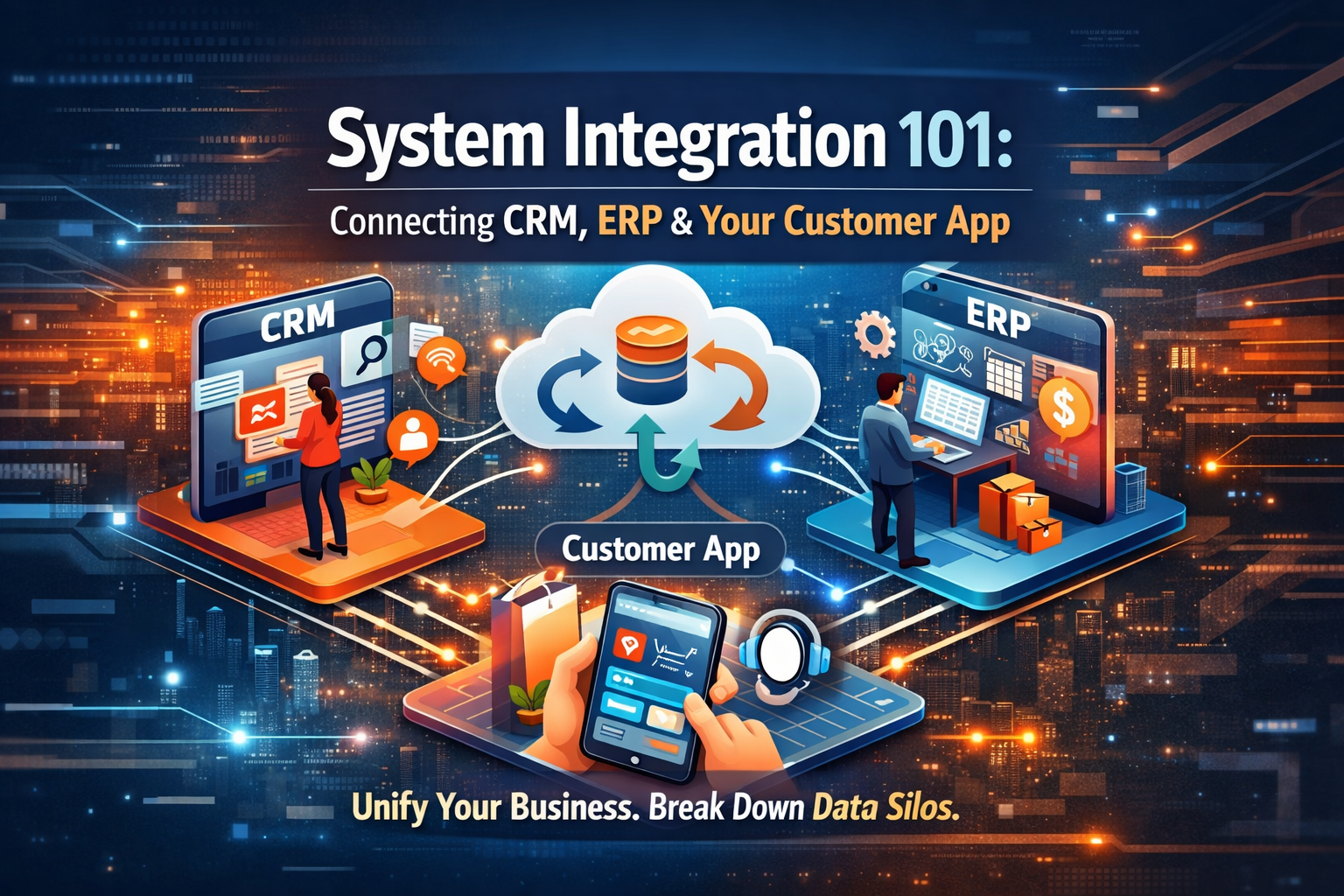
Let’s illustrate. Perhaps your company is using one system for the sales aspect (CRM), another for the operational part (ERP), and maybe a mobile app for your customers. If these systems don’t communicate, each piece of software has a solution that consists of a mere fragment of the whole. The effect of these separate systems that don’t communicate with each other results in the formation of data silos. The data or information in these silos doesn’t relate to the other data in other parts of the company. It may cause some inefficiencies, such as the generation of inaccurate quotes, stale data, and a cumbersome process that results in the irritation of both your staff and your consumers. The integration of CRM and ERP, together with your customer app, has a lot to do with destroying data silos and enabling all your other software to talk to each other.
Integration simply means that all your staff, along with all the software, are looking at the same set of updated information, a ‘single source of the truth’ for your entire business. It drastically speeds up your workflow, eliminates errors, and allows your staff to make the right decisions. It’s a giant leap forward to upgrading your business processes (which is a part of a ‘Digital Transformation’) and also makes your ‘front end’ and ‘back end’ stay synchronized. In the guide, we will discuss the meaning of ‘systems integration’; the meaning of CRM, ERP, and a ‘customer app’ that has a lot to do with ‘why integrating them makes your business easier’ along with ‘how to do the integration without the tech talk.’
Understanding CRM, ERP, and Customer Apps
Before we move on to discussing integration, a brief description of what each system is, and how they work, is helpful, explained simply below:
- CRM (Customer Relationship Management): This is like the address book and diary of all their customer dealings. The sales and marketing and servicing groups will employ the CRM to keep track of who the customer is, their details, what they were told, what they sold, and so forth. It is essentially the front end of the operation where the customer-facing groups spend their time.
- ERP (Enterprise Resource Planning): This is the company’s main back-office system for running the business. Think of ERP as the operations and finance manager. It handles things like accounting, inventory, orders, and supply chain. It’s where your product information, order status, and financial data live. The ERP ensures the business process automation behind the scenes; making sure products are in stock, orders are fulfilled, and the books are balanced.
- Customer App/Portal: This refers to any type of application that the customers might use to engage with your business directly, either on the internet or using their mobile devices. This might be an eCommerce website, a mobile application used to make orders or check some account information, a customer portal to check support information, among other applications. The customer application is the platform where all the activities of the customers are recorded in a customer application, whether viewing products, ordering, paying, or inquiring about support. This platform is known as the customer’s front door.
Why Integrate Your CRM, ERP, and Customer App?
Why should a business connect its CRM, ERP, and customer-facing app? There are big benefits for efficiency and growth when everything is linked. The following points will illustrate the importance of integrating the systems mentioned above:
- Remove Data Silos: If integration is not done, all apps will store data separate from each other, and it may not all be accurate. For example, a customer’s address may be updated in CRM but outdated in ERP. Also, all platforms will store updated data, meaning all platforms will use the same information, which will eliminate confusion on which one has accurate data.
- Real-Time Visibility and Speed: Through integration, data is shared among systems at the click of a button. This results in your teams being immediately alerted. Let's say the moment you make a sale on the app, the ERP system’s inventory is updated, and the sales team receives an alert on the CRM system. Salespeople can immediately check the availability of the item or the status of the customer's order, while the finance department receives immediate notifications of sales from the CRM system. All quotes, orders, or even after-sales service are completed much sooner.
- Increased Efficiency & Productivity: Because systems communicate with each other, your employees will not be forced to manually input information in several different systems. For example, if an order is placed in the customer app, it can automatically appear in the ERP for fulfillment and in the CRM for the sales record. Nobody has to type it over again. This workflow automation saves a lot of time and cuts down on entry errors. In fact, research shows sales reps waste up to 21% of their time just dealing with duplicate data or information that’s spread across disconnected systems. By integrating, you give that time back to your team so they can focus on selling and serving customers, not doing paperwork.
- Better Customer Experience: An integrated system implies a better customer experience because the customer will not be repeating himself. Why? The support team will have a 360-degree view of the customer. The support team will be able to see in one place all the details of the customer: his orders from the ERP system, his tickets in the CRM system, his activities in the app; so the customer will not have to repeat himself. Also, the customer’s app will reflect the right data from the ERPs/CRMs.
- Informed Decision-Making: Combining data from CRM, ERP, and the customer app gives managers a complete picture of the business. When all your information is connected, you can do better analysis. For example, you could see sales trends from the CRM alongside production costs from the ERP and user behavior from the app, all in one report. This unified data helps in forecasting and making smarter decisions because you’re drawing from all corners of the business at once.
- Scalability and Growth: For any company looking to grow, having manual processes and fragmented systems becomes a roadblock. It’s hard to handle more customers or more orders when you’re juggling separate tools. Integrating lays a technology foundation that can scale with you. You can handle higher volumes because data moves efficiently through one connected pipeline. If you add a new sales channel or a new application, it can plug into your integrated setup rather than forcing a whole new silo. Essentially, integration lets you “scale smart”; you won’t need to double your administrative work when business doubles, because your systems automatically keep up.
Key Integration Scenarios & Use Cases
- make it even clearer, let’s look at some everyday examples of CRM and ERP integration (with the customer app in the mix). In each of these scenarios, notice how data flows seamlessly between the systems:
- Unified Customer Accounts: Ensure customer information is up-to-date and consistent between various systems. For instance, if a customer registers for an account on the mobile app or a sales representative adds a customer on the CRM, customer details are reflected on the ERP system as well. When changes are made in one system, for instance, a change in phone numbers on the CRM, all other systems are updated as well. Thus, customer information is consistent between sales and accounting teams, reducing issues such as generating receipts at the wrong customer addresses.
- End-to-End Order Fulfillment: Link the order cycle from the initial customer inquiry through to the final delivery (also referred to as the quote-to-cash cycle). For example, the customer places an order through your app; with integration, that order will immediately enter the ERP order fulfillment cycle and the CRM sales cycle too; the order doesn’t have to be manually entered in both systems. The sales operation will be able to monitor the order status in the CRM as the status changes in real-time through the ERP, and the customer will be able to follow the status through the app. This makes the whole order cycle fast and automatic. A salesperson could even create a quote in the CRM and, with one click, send it to the ERP to become an official order. Once the order is shipped and invoiced in the ERP, that info can flow back into the CRM so the sales team sees the payment status. The entire flow from quotation to payment is handled without duplicate work.
- Real-Time Inventory Sync: Ensure your inventory and product info is the same everywhere. If the ERP says an item is in stock, the CRM and customer app should reflect that too. Integration does this by pushing updates whenever inventory levels or product details change in the ERP. So if your ERP records that 5 units of Product X were just sold (or a new batch arrived), the CRM and app will immediately show the new stock count.
- Integrated Billing & Payments: Link financial updates between ERP and CRM (and optionally the app). For example, when the ERP generates an invoice or logs a payment, the customer’s record in the CRM can update to show that (so a sales rep knows an invoice was paid, or sees an outstanding balance). Similarly, if a customer makes a payment through the online app, that payment can flow into the ERP’s finance module in real time.
- Customer Support Integration: If your customer app includes support features (like a help ticket form or chat), integration with CRM ensures nothing falls through the cracks. Suppose a customer submits a support ticket in the app; integration can automatically create a corresponding case in the CRM, so your support team sees it and all the customer’s info (including purchases from the ERP) in one place. When support resolves the issue in the CRM, the status can update back in the app for the customer to see.
Integration Methods & Tools
- Well, since we have an understanding of what it is that we need to hook up, the question is: How do we actually hook up these systems? There are a couple of different ways and tools available to enable the communication between CRM, ERP, and customer applications. This depends upon your business size, budget, and the level of complexity of your tech infrastructure. Let’s discuss the most popular ways of integration:
- Point-to-Point Integrations: This is the simplest kind of integration; integrating two systems directly by using custom code or a dedicated plugin for the task at hand. This could mean you build a simple application to sync new leads from your CRM into your ERP system using the API of your systems. This kind of integration would be okay for the first two systems you have if your task is really simple. But think about integrating five or ten applications using this kind of system – you would be creating a spaghetti system with a different connection for every application you bring into the fold. In other words, if you change systems and the system updates, your custom solution isn’t compatible anymore, which means re-writing code for your custom solution.
- Middleware or ESB (Enterprise Service Bus): "Middleware can be viewed as a 'translator' situated in the midst of your systems. So instead of the CRM talking directly to the ERP, they both communicate with the translation ‘middle man’ who takes the information from the CRM system and sends it on to the ERP system." An ESB is "a type of middleware that functions as a 'traffic officer' for data. The idea is you have a central hub, so each system only connects to that hub rather than to every other system. This is more organized than many point-to-point wires. Traditional middleware might run on a server you manage, translating data formats between, say, your app and your ERP. It reduces the heavy lifting each system has to do, but setting it up can require technical expertise.
- iPaaS (Integration Platform as a Service): This is like middleware’s modern, cloud-based cousin. An iPaaS is a cloud platform (provided by companies like MuleSoft, Boomi, or even simpler ones like Zapier) that offers a toolkit to connect multiple systems easily. It often comes with pre-built connectors for popular software and a visual interface where you can drag-and-drop to create workflows. For example, you could configure an iPaaS workflow: “When a new order appears in CRM, automatically take the data and create a matching order in ERP, then notify the customer via the app.” You don’t have to write all the code for this; the platform handles it. Many iPaaS solutions also provide templates for common scenarios and handle a lot of the complexity behind the scenes.
- Native Integrations & APIs: Sometimes the software you use already has built-in integration capabilities. For instance, your CRM might natively connect to certain ERP systems (especially if they are popular ones); you just turn on that feature or install an official plugin. Always check if such native options exist; they can be cost-effective and simpler since the vendor did the work for you. If there’s no pre-built connection, you can always fall back to using APIs; which are like doors the software opens for external access. All modern CRMs and ERPs provide APIs (Application Programming Interfaces) for developers to send or retrieve data.
- Batch vs. Real-Time Sync: A consideration in any integration is how often data should sync. Real-time integration means as soon as something happens (e.g. an order is placed), it’s pushed to the other system immediately. Batch integration means collecting changes and sending them on a schedule (like syncing all new orders once every night). Real-time keeps data most current, but can put more load on systems and might be overkill for things that aren’t time-sensitive. Batch can be efficient for large volumes of data that aren’t urgent (like updating a full product catalog nightly). Often, a mix is used: critical data syncs right away, while other data syncs in periodic batches.
- Data Transformation & Mapping: Keep in mind that each system might structure data differently. Part of integrating is making sure, for instance, that what CRM calls a “Customer ID” matches what ERP expects as a “Client Number.” Integration tools usually let you map fields (so data goes into the right place in the other system) and transform formats if needed (like date formats or units of measure). Planning out your data mapping is a crucial step so that, when data travels from one system to another, it arrives understood and usable.
Benefits of Connecting CRM, ERP, and Customer Apps
Let’s recap what you stand to gain by integrating these systems. When done right, CRM and ERP integration (with your app in the loop) brings a heap of benefits that touch every part of your business. Here are the key advantages:
- Unified 360° View of the Customer: Integration combines data from sales, support, and operations into one place, giving your team a complete picture of each customer. At a glance, an employee can see a customer’s contact info, purchase history (from the ERP), open support tickets (from the CRM), and even recent app activity. This 360-degree customer view means no more flipping between systems or having partial info. Everyone is on the same page, which leads to more personalized and efficient service. For example, if a VIP customer calls, your rep can see everything about them in one screen and respond with full context.
- Streamlined Processes & Higher Efficiency: When data flows automatically, processes that used to take hours can happen in seconds. An integrated setup eliminates a ton of manual work; no more exporting data from one system and importing into another, or reconciling two different reports by hand. This means your employees can handle a larger volume of work without feeling the strain. A task like generating a sales report or fulfilling an order becomes quicker because all the needed info is already consolidated.
- Faster Sales Cycles and Order Fulfillment: When CRM and ERP are linked, the whole quote-to-cash cycle accelerates. Sales reps can quote prices knowing the inventory is available (because they see ERP stock data in real time). Once the customer says “yes,” that order is immediately in the ERP for processing. No delays waiting for someone to re-enter it. The ERP, in turn, updates the CRM when the order is shipped or the invoice is paid, so sales and customer service know status updates instantly. All this means customers get their orders faster, and you get paid sooner. In a competitive market, being faster to deliver can be a big advantage. Plus, a faster cycle means you can handle more orders in the same time frame, directly helping your revenue.
- Improved Accuracy, Less Errors: Human error is a big issue when people have to input or transfer data manually. By integrating, you drastically cut down on those errors. If an order is entered once and then auto-shared, there’s no risk of someone mistyping it the second time. Consistent data across systems means decisions are based on correct information; the ERP isn’t saying 100 units in stock while the CRM says 80, for instance. This consistency prevents costly mistakes like shipping the wrong product, sending two people to work on the same task, or billing the customer incorrectly.
- Better Team Collaboration: When everyone trusts the data and can access what they need, the culture shifts from “mine vs yours” to “ours.” Breaking down data silos often breaks down organizational silos too. Sales, support, and operations can collaborate more easily when they’re literally looking at the same information. For example, the sales team can check in the integrated CRM/ERP if there’s a delay in production that might affect a deal and then work with operations to inform the client proactively. Joint dashboards can be created that mix CRM and ERP data; perhaps the management team sees a dashboard of sales pipeline alongside current inventory and cash flow.
- Enhanced Customer Satisfaction: Customers may not know (or care) about your internal systems, but they definitely feel the effects. Integration leads to things like never asking the customer twice for the same information, giving them accurate answers immediately, and providing self-service options that actually work. For instance, with integration, a customer can log into their app or portal and see their latest order status or pay an invoice; because that info is coming straight from ERP in real time.
- Scalability & Agility: We touched on this earlier; integrated systems set you up to handle growth and change more gracefully. If you suddenly get a spike in orders, your team isn’t swamped updating multiple systems; the integration takes care of propagating the data. If you acquire another company or start a new product line, it’s much easier to onboard their system or data into a unified structure if you already have one in place. Essentially, your business becomes more agile; able to react quickly; because data and workflows aren’t stuck in one department.
- Cost Savings: While integration is an investment, it often leads to saving money in the long run. Think about all the manual hours saved; that’s labor cost reduced or repurposed to more productive activities. Fewer errors mean less money spent on fixing mistakes (like reshipping orders or appeasing unhappy customers). Better data means you can optimize inventory (avoiding excess stock or stockouts, which saves money and sales).
Ready to transform your business with a unified system?
Don’t let disconnected tools hold you back. Why choose ORIGIN8? Because we make complex integrations simple, clear, and successful; with a very human touch. Your next step is easy: reach out to us for a no-obligation consultation. We’ll discuss your specific needs and show you how we can connect your CRM, ERP, and customer app into a powerhouse that drives growth.
👉 Contact ORIGIN8 today to start your integration journey and turn your siloed software into a streamlined, single source of truth for your business. Let’s build the connected future of your company together.